





















































































































Login

24/7 Customer Support

16201 For Int 09611016201
Chatbot Upcoming
Call 16201
Trust Money
Discount Partners
Discount Partners
FX Rates
Check foreign exchange rates on the most popular currency pairs here before you initiate your money transfer.
Rates
Rates for Various Deposit Products
Lending Rates
Rates for Various Lending Products
Branches, ATMs & CDMs
Find Your Nearest Branch, ATM, CDM
Trust Bank AI
Assalamu Alaikum. How can I help you today?
Background

Securing Banking

Cyber Security Tips

Banking Safely in the Digital World

Digital banking has transformed the way customers manage their finances, allowing access to banking services anytime and from virtually anywhere. While this convenience offers significant benefits Banking Safely in the Digital World, it also increases exposure to cyber threats such as phishing, malware, account takeover, payment fraud, and identity theft.

Trust Bank PLC is committed to maintaining a secure digital banking environment through advanced security controls, continuous monitoring, and industry-standard protection measures. However, safeguarding your account is a shared responsibility. By adopting safe digital habits and remaining alert to emerging threats, you can greatly reduce the risk of fraud.

This guide outlines practical steps every customer should follow to help keep their personal information and banking accounts secure.

Your computer or mobile phone is often the first line of defense for your banking information.

To keep your devices secure:

  • Install operating system and application updates as soon as they become available.
  • Use reputable antivirus and anti-malware software and keep it updated.
  • Download applications only from official app stores or trusted software providers.
  • Review app permissions carefully and avoid applications requesting unnecessary access to your personal data.
  • Enable screen lock using a strong PIN, password, fingerprint, or facial recognition.
  • Lock your device automatically after a short period of inactivity.
  • Avoid rooting or jailbreaking smartphones, as these actions weaken built-in security.
  • Use trusted internet connections and avoid conducting banking transactions over public Wi-Fi.
  • Never save banking passwords, PINs, or OTPs in notes, messages, or unsecured files.
  • Do not leave your devices unattended or share them with others.

Cybercriminals frequently impersonate banks through emails, text messages, social media, and phone calls.

Before responding to any communication:

  • Verify that the sender is genuinely associated with Trust Bank.
  • Treat unexpected requests for personal or financial information with caution.
  • Never disclose your password, PIN, OTP, CVV, or card details to anyone.
  • Avoid clicking links or opening attachments received from unknown or suspicious sources.
  • Be cautious of messages creating urgency or threatening account suspension.
  • Check website addresses carefully before entering any confidential information.
  • Contact Trust Bank directly using official channels if you are uncertain about any communication.

Your login credentials are intended for your personal use only.

Follow these best practices:

  • Create strong, unique passwords for your banking accounts.
  • Avoid using personal information such as birthdays or phone numbers in passwords.
  • Change your passwords periodically or immediately if you suspect they have been exposed.
  • Enable Multi-Factor Authentication (MFA) whenever available.
  • Never reuse banking passwords across different websites or applications.
  • Do not share your credentials with family members, friends, or anyone claiming to represent the Bank.

Debit and credit cards require the same level of protection as cash.

Customers should:

  • Keep cards in a secure location.
  • Never lend cards to another person.
  • Memorize the card PIN instead of writing it down.
  • Cover the keypad whenever entering your PIN.
  • Inspect payment terminals before inserting or tapping your card.
  • Review card statements regularly to identify unauthorized transactions.
  • Report lost, stolen, or damaged cards immediately.

  • Verify the merchant before scanning a QR code, especially at small shops or in public places.
  • Be cautious of tampered QR codes. Fraudsters may place a fake QR code or sticker over a legitimate one to redirect your payment.
  • Check the payment details (merchant name, account number, and amount) displayed in your banking or payment app before confirming the transaction.
  • Avoid scanning QR codes received through unsolicited emails, SMS messages, or social media posts claiming to offer prizes, refunds, discounts, or urgent requests.
  • Never scan a QR code to receive money. In most payment systems, receiving money does not require you to scan a QR code.

Using an ATM safely requires awareness of your surroundings.

When using an ATM:

  • Choose machines located in secure, well-lit places.
  • Check the ATM for signs of tampering before using it.
  • Shield the keypad while entering your PIN.
  • Decline assistance from strangers.
  • Collect your cash, card, and receipt promptly after completing your transaction.
  • Avoid counting cash at the ATM.
  • Leave immediately if you notice suspicious individuals or unusual equipment.

Online shopping should only be conducted through trusted merchants.

To reduce risk:

  • Verify that the website uses a secure HTTPS connection.
  • Purchase only from reputable online retailers.
  • Avoid making payments using public computers.
  • Do not save your payment card information on shared devices.
  • Keep copies of your transaction confirmations.
  • Be cautious of unrealistic discounts or offers that appear too good to be true.

Safe online banking depends on both secure technology and responsible user behavior.

Always remember to:

  • Access Internet Banking only through Trust Bank's official website or mobile application.
  • Confirm that the website address is correct before signing in.
  • Log out after every banking session.
  • Avoid using Internet Banking on public or shared computers.
  • Keep your browser and operating system updated.
  • Enable transaction alerts whenever available.
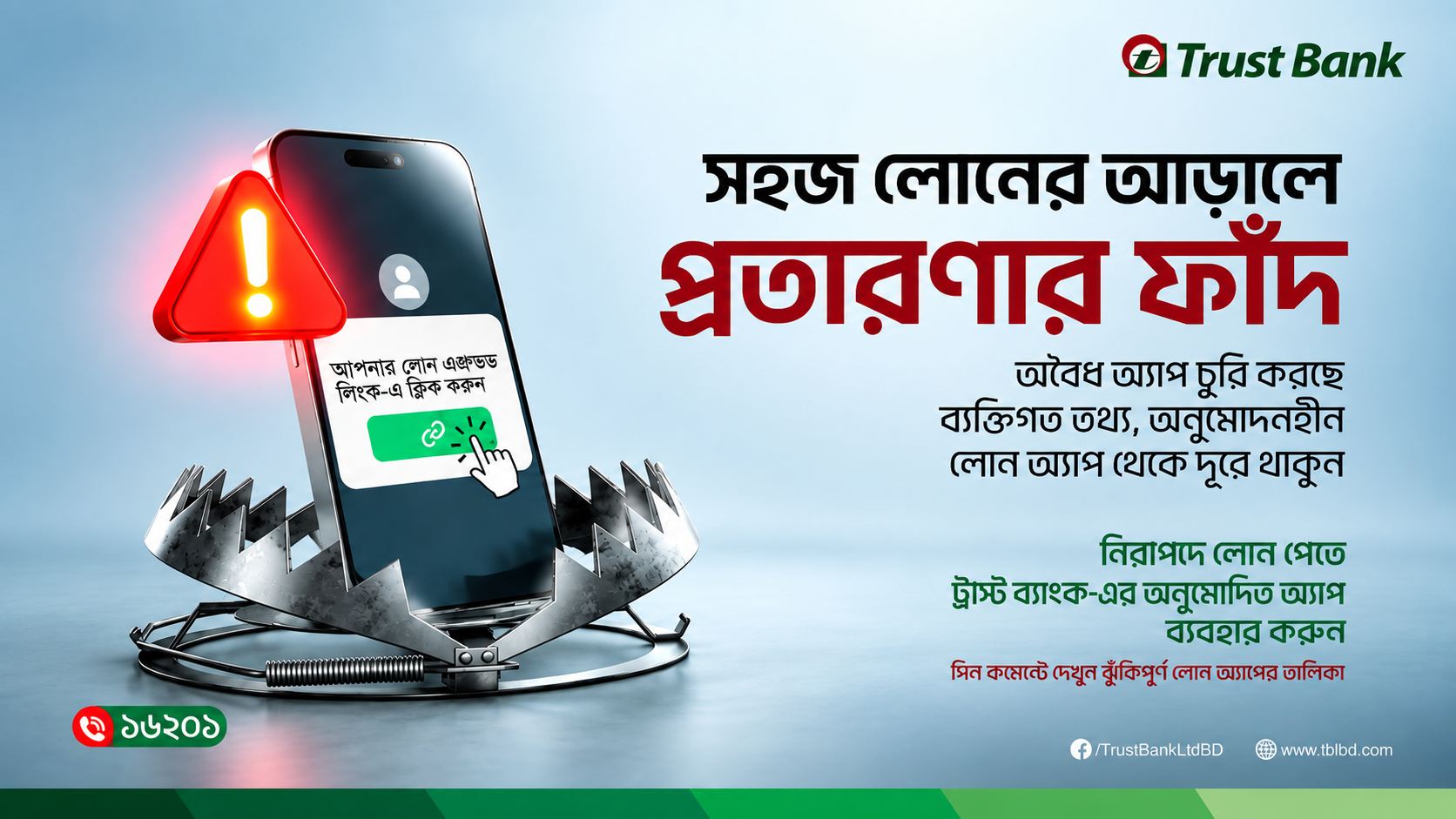
  • Never follow login links received through unsolicited emails or text messages.
  • Report any unusual account activity without delay.

Fraud techniques continue to evolve. Remain cautious of:

  • Fake banking websites
  • Fraudulent mobile applications
  • QR code scams
  • Investment and lottery scams
  • Social engineering attacks
  • SIM swap fraud
  • Messages requesting urgent payments or confidential information
  • Whenever something seems unusual, verify the request directly with Trust Bank before taking any action.

Take immediate action if you believe your banking information has been compromised.

  • Change your Internet Banking password immediately.
  • Block your debit or credit card if necessary.
  • Review recent account activity for unauthorized transactions.
  • Contact Trust Bank through its official customer service channels without delay.
  • Report suspected cybercrime to the appropriate authorities if required.

What's New at Trust Bank

Find Br. and ATM

We are on The Map

Call Us

16201 or 09611016201

Today's Rates

View Rates

Book an Appointment

When you need us

Top
Trust Bank AI
Hello! How can I help you today?