



















































































































General News
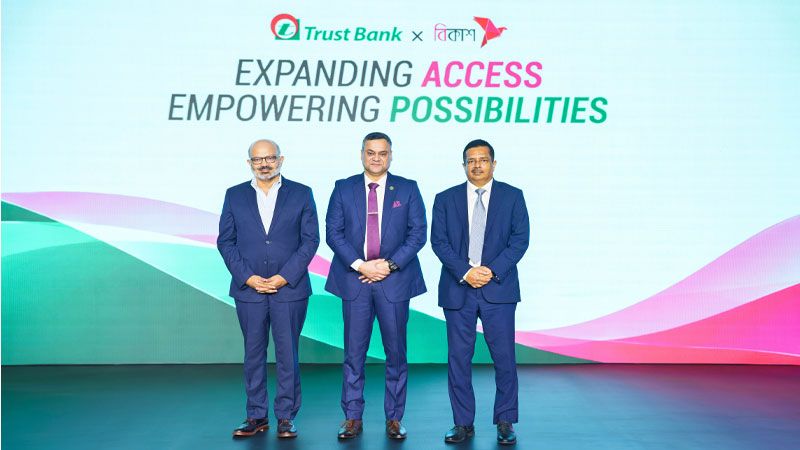
Trust Bank services, including savings and loan, available on bKash app
01 Nov 2026

Scan the QR code to download the Trust Bank app now

Your email ID is more than just a contact detail. It’s the gateway for e-statements, transaction alerts and important updates from Trust Bank. Keeping it current ensures uninterrupted services and helps enhance digital security. Trust Bank offers multiple ways to update email ID in Bank Account online or offline, so you can choose what suits you best.

Keep your banking information up to date quickly and conveniently through our online service.

Access your accounts, manage transactions, and enjoy convenient banking services anytime, anywhere.

Easily download the forms you need for various banking services and requests.

Quickly find the nearest Trust Bank branch, other service point.
An updated email ID helps you receive timely account alerts, e-statements, transaction notifications, and important information about banking products and regulatory changes.
Make sure your registered mobile number is active and your mobile network is stable. If the issue continues, verify that your mobile number is correctly registered with the bank.
Check the email address carefully for spelling mistakes, missing characters, or incorrect formatting before submitting the update request.
You may need to update your registered mobile number first, as OTP verification may require access to the active mobile number linked to your account.
Depending on the update method and verification process, it may take a few working days for the new email ID to be processed and reflected in your account.
Yes. Where applicable, each joint account holder should update their email ID individually according to the bank's requirements.
If confirmation is not received within a few working days, contact Trust Bank's customer service or visit your nearest branch for assistance.
Ensure that your new email ID is active and accessible, and keep your registered mobile number active so you can receive OTPs and complete the verification process.